
Plex
Real-time uptime monitoring and outage reports
Current Status
Operational
24h Uptime
100.00%
Reports (Last 1h)
0
trending_flat 0%Last Peak Spike
5
12h agoUptime History (Past 24 Hours)
Is Plex down right now? Real-time Status & Outage Map
Plex is a globally popular client-server media player system that allows users to organize and stream their personal video, audio, and photo collections to virtually any device. It serves as a critical centralized entertainment hub, seamlessly connecting users to both their self-hosted media libraries and free ad-supported live TV.
Currently, based on our real-time global monitoring network, the status of Plex is operational. The vast majority of the community reports seamless functionality. If you are uniquely facing issues where Plex is not loading, we recommend checking your local Wi-Fi, clearing your browser cache, or restarting your application, as global servers appear to be completely healthy.
Service Disruptions: What Happens if Plex Goes Down?
When Plex experiences a centralized server outage or authentication failure, users are often locked out of their own media servers and cannot stream their personal content remotely. A widespread Plex outage typically results in login failures across all client apps, inability to claim or connect to remote servers securely, and disruptions to Plex's native streaming services.
Our live map aggregates thousands of these specific complaints in real-time. If you see elevated bars on the chart above, the Plex down detector algorithm has successfully identified severe backend degradation that aligns with these exact symptoms.
Recent Down Detector Reports for Plex
By analyzing the past 24 hours of telemetry, we observed roughly 11 outage complaints globally. Factoring in these connectivity drops, the calculated Plex uptime over the last day rests at 100.00%.
The most significant recent outage or degraded performance spike commenced around 12h ago. At this specific time, the problem volume skyrocketed, peaking at exactly 5 reports within a narrow 15-minute interval. This indicates a very distinct, measurable interruption to their primary infrastructure.
How to fix Plex if it is not working
When the global status reads 'Operational' but the app still crashes on your device, the problem is local. Try these simple fixes to restore your Plex connection:
- Verify Local Network and Port Forwarding: Ensure your local Plex Media Server device is assigned a static IP address and that TCP port 32400 is properly forwarded through your router. This is the most critical fix for resolving 'Not available outside your network' remote access errors when Plex's main servers are operational.
- Clear App Cache and Re-authenticate: If you are experiencing playback errors or infinite loading screens on a specific device like an Apple TV, Fire Stick, or Roku, navigate to the device settings and clear the Plex app cache. Afterward, sign out and sign back in to force the client to fetch fresh authentication tokens from Plex.tv.
- Check DNS and VPN Settings: ISP-provided DNS servers can sometimes fail to resolve Plex's secure connection endpoints correctly. Try switching your router or device DNS to a reliable public provider like Cloudflare (1.1.1.1) or Google (8.8.8.8), and temporarily disable any active VPNs to ensure they aren't blocking secure traffic to your media server.
How isitdownrightnow.app monitors Plex Outages
We don't wait for PR departments to admit there's a problem. By automatically tracking the real-time velocity of Plex down reports across social networks and the web, we can publish outage alerts long before official sources acknowledge the failure.
Our intelligent backend systems constantly cross-reference the incoming volume of these Plex down reports against a historical background baseline curve. When the live data deviates significantly and crosses a mathematical threshold, our website instantly flips the status from green to red, publishes the warning on this page, and logs the precise minute the downtime commenced. This guarantees that you are receiving the fastest, most unbiased, and most accurate outage intelligence available anywhere on the internet today.
Frequently Asked Questions
Why is Plex not working?
Plex might not be working due to widespread Plex.tv authentication server outages, local network configuration issues, or outdated client applications. If the central infrastructure is down, remote access and user authentication will fail, preventing you from accessing your library even if your local media server hardware is perfectly healthy.
How to check Plex server status?
You can check the official Plex server status by monitoring real-time user reports and uptime graphs right here on isitdownrightnow.app. Additionally, checking your local Plex web app dashboard or the official Plex Twitter support account can help determine if the issue is isolated to your home network or a broader infrastructure problem.
Is Plex down right now?
Check the real-time outage graph at the top of this page to see if Plex is down right now. If there is a sudden, massive spike in user reports, the Plex.tv authentication servers or API endpoints are likely experiencing global downtime.
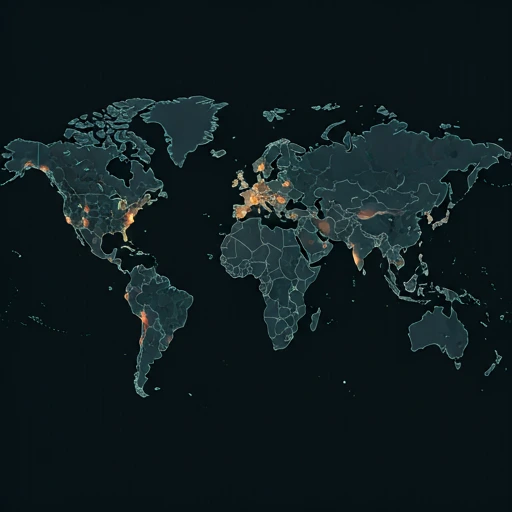
Outage Heat Map
Live User Reports
Real-timeSystem Monitoring Active
Real-timeMonitoring is currently tracking 0 ongoing reports, which is well within normal operational baselines for Plex.
campaign Recent User Reports
| Service | Problem | Peak Spike | Spike Time | Reports (24h) | Status |
|---|---|---|---|---|---|

|
Normal activity | 9 reports | 45m ago | 82 | Stable |

|
Normal activity | 3 reports | 8h ago | 25 | Stable |

|
Normal activity | 9 reports | 17h ago | 229 | Stable |

|
Normal activity | 10 reports | 19h ago | 158 | Stable |

|
Normal activity | 2 reports | 15m ago | 3 | Stable |

|
Normal activity | 85 reports | 10h ago | 323 | Stable |

|
Normal activity | 4 reports | 7h ago | 68 | Stable |

|
Normal activity | 4 reports | 8h ago | 63 | Stable |