
Starlink
Real-time uptime monitoring and outage reports
Current Status
Operational
24h Uptime
100.00%
Reports (Last 1h)
0
trending_flat 0%Last Peak Spike
1
15h agoUptime History (Past 24 Hours)
Is Starlink down right now? Real-time Status & Outage Map
Starlink is a revolutionary satellite internet constellation operated by SpaceX, providing high-speed, low-latency broadband to even the most remote corners of the globe. For millions of users, it is a critical lifeline for remote work, emergency services, and global connectivity where traditional infrastructure fails.
Currently, based on our real-time global monitoring network, the status of Starlink is operational. There are currently no widespread network anomalies detected. If you are one of the few users currently struggling with an alleged Starlink outage, it is almost certainly an isolated incident affecting only your specific connection route or an outdated application client.
Service Disruptions: What Happens if Starlink Goes Down?
During a Starlink outage, users typically experience a total loss of internet connectivity, resulting in 'Searching' or 'Offline' statuses within the Starlink app. This disruption prevents all online activities, including video conferencing and streaming, and can also lead to failures when attempting to manage account billing or hardware settings.
When the timeline chart illuminates red or yellow, it means a sizable portion of the player or user base is getting hit by these exact bugs. isitdownrightnow.app actively sifts through the noise to confirm when a real Starlink outage is happening rather than a localized glitch.
Recent Down Detector Reports for Starlink
Transparency into historical performance is key. Over the past 24 hours alone, our advanced tracking systems have recorded a total of 2 unique problem reports from users experiencing connectivity or functional issues with Starlink. Currently, the service has maintained a 100.00% uptime rating over this recent 24-hour tracking window.
The largest anomaly in the recent timeline occurred exactly 15h ago, where our systems caught a massive wave of 1 problem reports pouring in simultaneously. This clearly highlights a temporary collapse of their backend services.
How to fix Starlink if it is not working
Still can't connect even though the servers are green? The Starlink lag is likely on your end. Run through this quick checklist to get back online:
- Perform a Full Power Cycle: Disconnect the Starlink power cable from the wall outlet for at least 60 seconds. This clears the router's temporary cache and forces the dish to re-initiate its boot sequence and re-scan the sky for the optimal satellite connection.
- Check for Physical Obstructions: Use the 'Check for Obstructions' tool in the Starlink app to ensure no new growth (like tree leaves) or debris is blocking the dish's field of view. Even a small obstruction can cause frequent 'micro-outages' that look like server-side downtime.
- Factory Reset the Router: If the app cannot find the router, perform a factory reset by quickly plugging and unplugging the router from power six times in a row. Once reset, you will need to set a new SSID and password to reconnect your devices to the network.
How isitdownrightnow.app monitors Starlink Outages
Unlike internal corporate status pages, which are notoriously slow to update and often hide the true extent of ongoing failures, isitdownrightnow.app relies directly on the community. By crowdsourcing live problem reports submitted by real users worldwide, we can detect a massive Starlink crash literally within seconds of it beginning.
By comparing the live influx of complaints to a standard 7-day algorithmic baseline, our anomaly detection engine spots real outages instantly. When the reporting volume shatters the threshold, the alert goes out. This ensures that when you look for a Starlink down detector, you are always getting mathematically proven, community-verified outage maps.
Frequently Asked Questions
Why is Starlink not working?
Starlink service interruptions are often caused by satellite handoff issues, scheduled ground station maintenance, or severe localized weather affecting the dish's signal. In some cases, a firmware update may be installing, which temporarily takes the hardware offline.
How to check Starlink server status?
The most accurate way to check status is via the Starlink mobile app's 'Statistics' and 'Visibility' tabs, which show real-time obstructions and outages. You can also visit the official Starlink support portal or use isitdownrightnow.app to see if other users in your region are reporting similar connectivity drops.
Is Starlink down right now?
To confirm if Starlink is down, check your dish's LED status and the app's connectivity monitor; if it shows 'Disconnected' despite a clear sky, a network-wide outage is likely. Cross-referencing with community maps and social media can help determine if the issue is global or specific to your satellite cell.
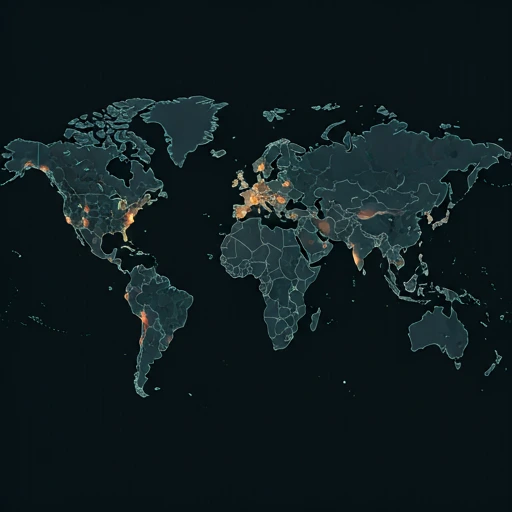
Outage Heat Map
Live User Reports
Real-timeSystem Monitoring Active
Real-timeMonitoring is currently tracking 0 ongoing reports, which is well within normal operational baselines for Starlink.
campaign Recent User Reports
| Service | Problem | Peak Spike | Spike Time | Reports (24h) | Status |
|---|---|---|---|---|---|

|
Normal activity | 10 reports | 2h ago | 85 | Stable |

|
Normal activity | 3 reports | 9h ago | 25 | Stable |

|
Normal activity | 11 reports | 18h ago | 243 | Stable |

|
Normal activity | 8 reports | 17h ago | 228 | Stable |

|
Normal activity | 10 reports | 19h ago | 158 | Stable |

|
Normal activity | 2 reports | 30m ago | 3 | Stable |

|
Normal activity | 314 reports | 10h ago | 479 | Stable |

|
Normal activity | 95 reports | 10h ago | 321 | Stable |