
Real-time uptime monitoring and outage reports
Current Status
Operational
24h Uptime
100.00%
Reports (Last 1h)
3
arrow_upward 200%Last Peak Spike
4
10h agoUptime History (Past 24 Hours)
Is Whatsapp down right now? Real-time Status & Outage Map
WhatsApp is a globally recognized messaging and voice-over-IP service owned by Meta, connecting billions of users worldwide. It serves as an absolutely critical communication lifeline for personal conversations, international calls, and essential customer interactions through WhatsApp Business.
Currently, based on our real-time global monitoring network, the status of Whatsapp is operational. The vast majority of the community reports seamless functionality. If you are uniquely facing issues where Whatsapp is not loading, we recommend checking your local Wi-Fi, clearing your browser cache, or restarting your application, as global servers appear to be completely healthy.
Service Disruptions: What Happens if Whatsapp Goes Down?
When WhatsApp experiences a server outage, users are entirely unable to send or receive text messages, make voice or video calls, or download media files. Messages typically get stuck on the 'clock' icon, indicating they haven't reached the servers, which effectively paralyzes real-time communication for both individuals and businesses.
Our live map aggregates thousands of these specific complaints in real-time. If you see elevated bars on the chart above, the Whatsapp down detector algorithm has successfully identified severe backend degradation that aligns with these exact symptoms.
Recent Down Detector Reports for Whatsapp
By analyzing the past 24 hours of telemetry, we observed roughly 65 outage complaints globally. Factoring in these connectivity drops, the calculated Whatsapp uptime over the last day rests at 100.00%.
The most significant recent outage or degraded performance spike commenced around 10h ago. At this specific time, the problem volume skyrocketed, peaking at exactly 4 reports within a narrow 15-minute interval. This indicates a very distinct, measurable interruption to their primary infrastructure.
How to fix Whatsapp if it is not working
When the global status reads 'Operational' but the app still crashes on your device, the problem is local. Try these simple fixes to restore your Whatsapp connection:
- Force Close and Clear App Cache: If you are on Android, navigate to Settings > Apps > WhatsApp, tap 'Force Stop', and then clear the cache under the 'Storage' menu. For iOS users, swipe up from the bottom of the home screen to open the app switcher, swipe the WhatsApp card up to force close it, and then relaunch the application.
- Update the WhatsApp Application: Running an outdated version of WhatsApp can lead to synchronization failures and connection errors. Open the Google Play Store or Apple App Store, search for WhatsApp, and install any available updates to ensure your app is fully compatible with Meta's current server protocols and security certificates.
- Toggle Network and Refresh Connection: Switch between your Wi-Fi and mobile data networks to quickly rule out local ISP routing or router issues. Alternatively, turn on Airplane Mode for 30 seconds and turn it back off to force your smartphone to refresh its IP address and establish a clean connection to your cellular network's DNS servers.
How isitdownrightnow.app monitors Whatsapp Outages
We don't wait for PR departments to admit there's a problem. By automatically tracking the real-time velocity of Whatsapp down reports across social networks and the web, we can publish outage alerts long before official sources acknowledge the failure.
Our intelligent backend systems constantly cross-reference the incoming volume of these Whatsapp down reports against a historical background baseline curve. When the live data deviates significantly and crosses a mathematical threshold, our website instantly flips the status from green to red, publishes the warning on this page, and logs the precise minute the downtime commenced. This guarantees that you are receiving the fastest, most unbiased, and most accurate outage intelligence available anywhere on the internet today.
Frequently Asked Questions
Why is Whatsapp not working?
WhatsApp might not be working due to global server outages at Meta, local internet connection issues, or running an outdated app version. Occasionally, misconfigured network settings, active VPNs, or aggressive firewall rules on your device can also block the application from connecting to WhatsApp's routing servers.
How to check Whatsapp server status?
You can check the WhatsApp server status directly on isitdownrightnow.app, where we monitor real-time user reports and global connectivity metrics. Additionally, checking social media platforms for trending hashtags or visiting official Meta status pages can provide immediate confirmation of widespread infrastructure issues.
Is Whatsapp down right now?
To determine if WhatsApp is down right now, review the live status graph and user report counter at the top of this page. If the graph displays a sudden, massive spike in recent error reports or the system status indicator is red, WhatsApp is likely experiencing a confirmed global or regional outage.
Outage Heat Map
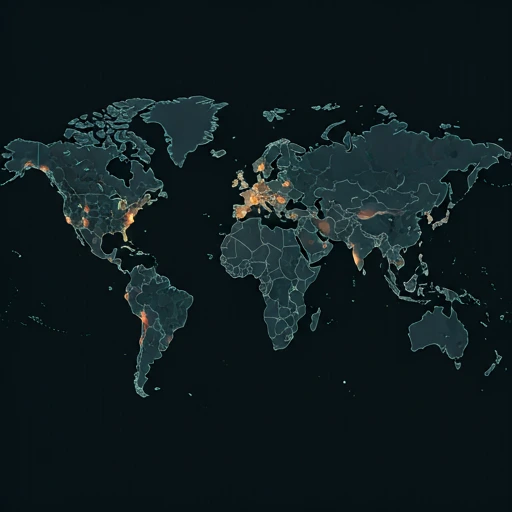
Live User Reports
Real-timeSystem Monitoring Active
Real-timeMonitoring is currently tracking 1 ongoing reports, which is well within normal operational baselines for Whatsapp.
campaign Recent User Reports
| Service | Problem | Peak Spike | Spike Time | Reports (24h) | Status |
|---|---|---|---|---|---|

|
Normal activity | 11 reports | 14h ago | 244 | Stable |

|
Normal activity | 104 reports | 11h ago | 327 | Stable |

|
Normal activity | 4 reports | 13h ago | 21 | Stable |

|
Normal activity | 8 reports | 19h ago | 226 | Stable |

|
Normal activity | 4 reports | 21h ago | 67 | Stable |
|
|
Normal activity | 4 reports | 10h ago | 65 | Stable |

|
Normal activity | 8 reports | 23h ago | 55 | Stable |

|
Normal activity | 2 reports | 23h ago | 17 | Stable |